Pro Tips
Create music with your voice - Dubnote & Dubler 2
Making music with your voice isn’t just for singers anymore, it’s becoming one of the most intuitive and accessible ways to produce full tracks, even without traditional instruments or studio gear. Whether you’re humming melodies in the shower, beatboxing on a walk, or whispering lyrics into your phone, your voice holds all the raw materials for a complete song.
With today’s innovative tools, you can now turn those vocal sparks into structured, editable music without needing to touch a keyboard or guitar. Voice-driven creation not only captures the immediacy of inspiration, but also breaks down the barriers between idea and execution—transforming spontaneous moments into fully produced tracks.
This month we’ve partnered with Vochlea Music, one of the leading companies for empowering creators to sketch, build, and perform music using nothing but their voice. In this article we take a closer look at their tools Dubler 2 and Dubnote, and you can get a 3-month extended trial of Dubnote’s premium features here.
Dubnote: Voice Memos, For Musicians
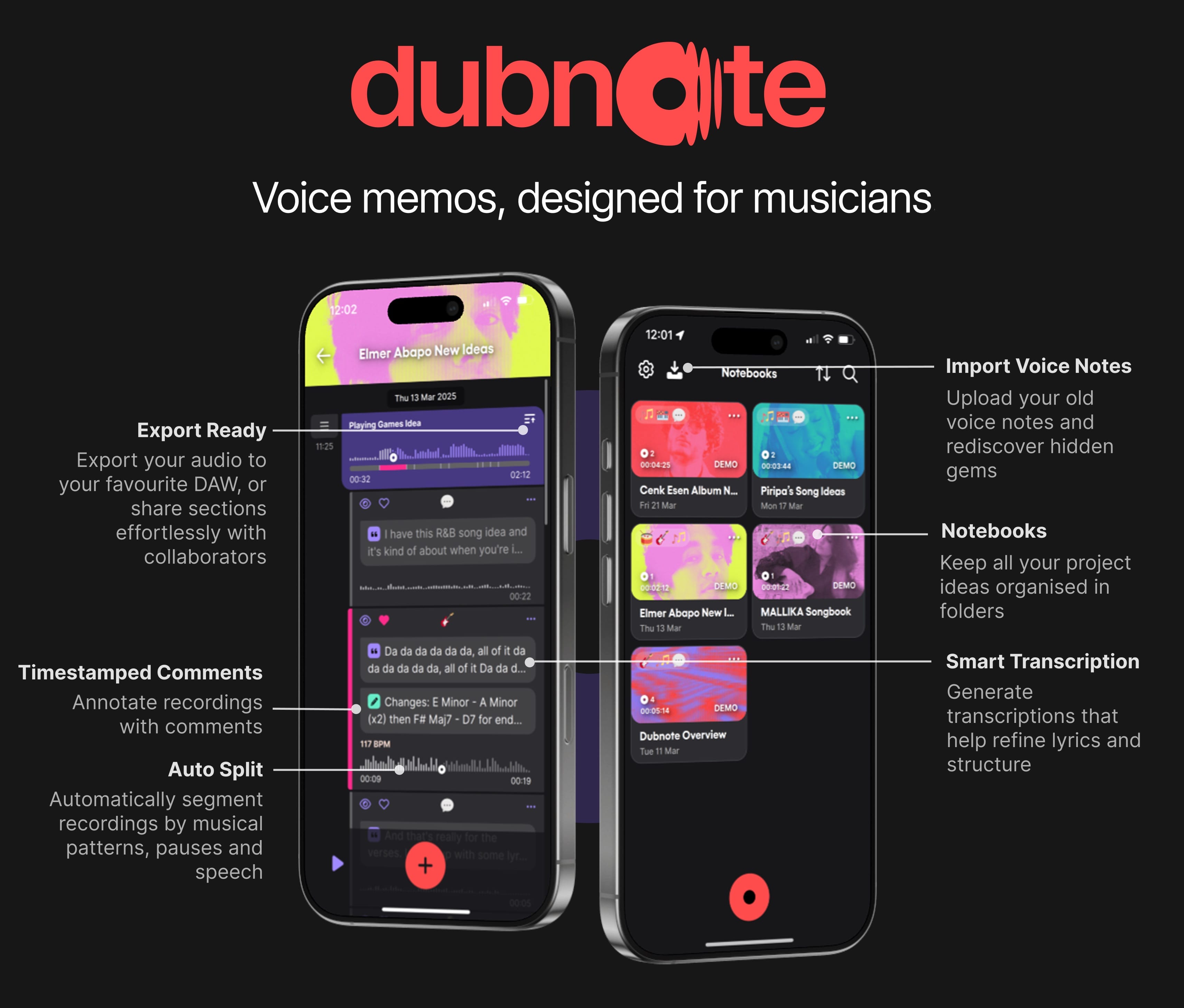
Dubnote is a voice note recording iOS app that allows you to capture raw ideas—be they lyrics, riffs, harmonies, or rhythms, with structure and clarity, compared to the usually-messy Voice Memos app.
Core features
Record & organise: Create notebooks, add cover art, and record directly inside them
AI splitting & tagging: Automatic detection of riffs, vocals, instrument sections, plus tagging with emojis, comments, and smart titles, saving hours of manual sorting
Transcription & tempo detection: Lyrics and spoken ideas get transcribed immediately-each clip’s BPM is detected making it easy to set the tempo in your DAW
Import: Import recordings from Voice Memos and other apps to find hidden gems in your old ideas
Search: Locate recordings easily based words and tags
Edit & export: Trim, merge, hide, and add comments to parts; easily export snippets as WAV/AAC, ideal for DAW import or collaboration
Privacy first & backup: On‑device processing with optional iCloud backup ensures security and peace of mind
Dubler 2: Real‑Time Voice‑to‑MIDI Control
What it does
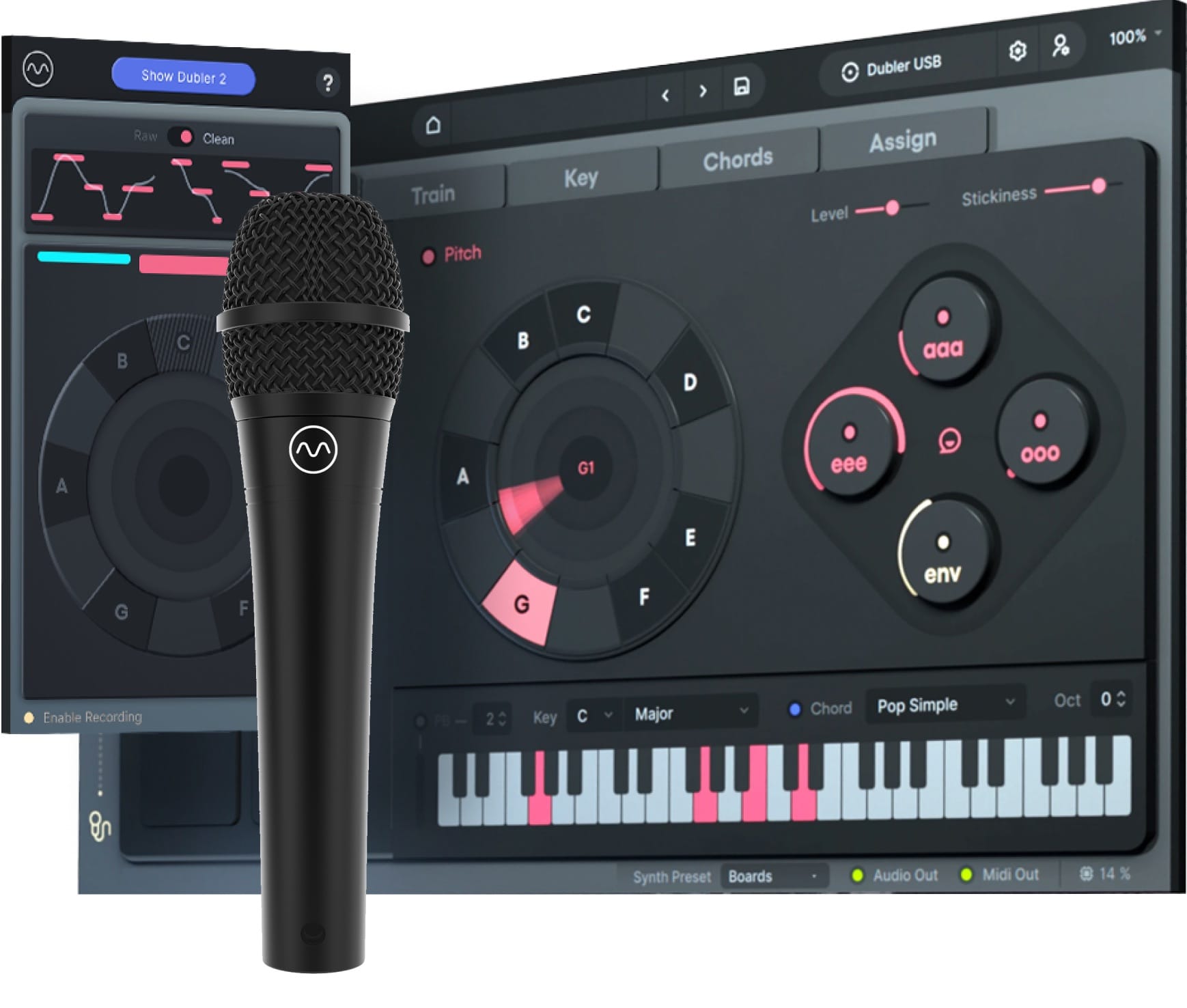
Dubler 2 transforms your voice into live MIDI signals, letting you “play” synths, drum racks, and effects by singing, humming, whistling, or beat‑boxing. It’s perfect for creators who:
Can’t play keyboard or guitar, but can hum or sing
Want to improvise melodies, chords, grooves quickly
Need physical, live performance control via voice
Why it stands out
Low‑latency, expressive control: Dubler 2 delivers highly responsive voice‑to‑MIDI performance. Pitch‑tracking is monophonic and accurate, with intuitive visual feedback via its “Pitch Wheel.” Off‑key notes can be restricted to stay in tune
Beat‑box triggers: Map up to 8 personalized beat‑box sounds to MIDI pads. Train them by recording several takes, then assign your own kit or note output. Users report dynamic and reliable triggering, even in live situations
Vowel‑based controls: Beyond pitch, vowel sounds (like “ah,” “ee,” “ooo”) can modulate MIDI CCs, opening expressive paths for voice‑controlled effects
Works in any DAW: Once hooked to a mic and calibrated, the MIDI feeds into Ableton, Logic, Cubase, and more. See a review here.
Versatile mic compatibility: While Vochlea’s own USB dynamic mic is recommended, Dubler 2 can work with any dynamic mic and interface (with ASIO support required for Windows). Condenser mics are less ideal as they capture too much detail, which can confuse pitch detection
How to Use Both in Your Workflow
Dubnote preserves brainwave flashes in organized audio chunks. Dubler 2 turns your voice into performance-ready MIDI, no instrument mastery required. Together, they transform chaos into structured, editable musical workflows.
Step 1: Dubnote
Record ideas (lyrics, hums, chord snippets) on the go; tag sections you like
Step 2: Export
Export clips as WAV/AAC to your computer
Step 3: Dubler 2
Sing or beat-nox melody or groove ideas into MIDI in your DAW via Dubler
Step 4: DAW
Production and arrangement with synths, plugins
Step 5: Iterate
Capture more ideas in Dubnote and repeat
Getting Started
Try Dubnote: Free download on iOS with a trial of AI tools; price for premium features ~£5.99/mo or £24.99/yr in-app. Get a 3-month extended free trial here!
Download Dubler 2: Available as standalone for £/€189 or as Studio Kit (£249 inc. mic) at vochlea.com/products
Mic matters: Use a reliable dynamic mic, or Vochlea’s custom USB microphone, for clean pitch/trigger accuracy
Learn the tools: Explore Dubler 2 with Vochlea’s many tutorials and check out videos of artists using Dubnote
Workflow loop: Capture ideas in Dubnote, export to your DAW, enhance your composition with new MIDI instruments and parts via Dubler, refine and build complete productions.
Final Thoughts
Voice is central to musical expression, it’s deeply human. Dubnote is your organised notebook for ideas. Dubler 2 is your voice‑powered instrument. Together, they elevate raw inspiration into polished productions, without needing conventional instrumental skills. Give them a try, you might just discover a creative partner in your own voice.