Tech Update
Bridge V2 - Explore the latest features

We’re thrilled to announce Bridge V2 with a host of new features designed to make your workflow smoother and more efficient. From sub-projects that help you organize your music catalog more effectively, to improved share links and a more powerful search functionality that helps you find exactly the tracks you need at any time, there are a lot of exciting updates to share.
Let’s dive right in. Here’s everything that’s new with Bridge V2:
1. Sub-projects (projects-in-projects)
Our highly anticipated sub-projects feature has finally arrived!
That’s right, you can now create projects within projects on your Bridge workspace.
Working on multiple different files related to the same big project? Start testing out this new feature on your Bridge workspace today.
2. Improved share links
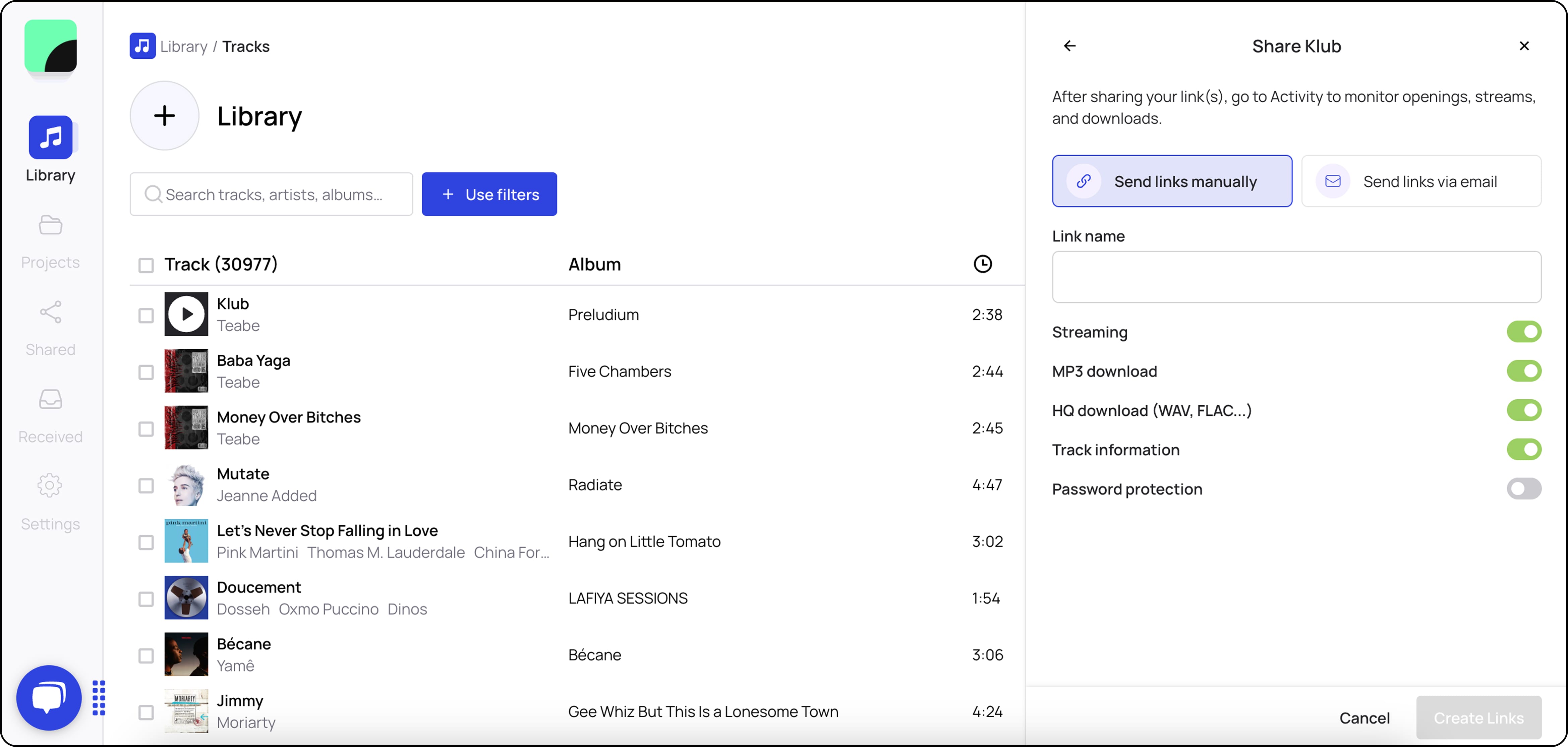
Creating share links is now faster and more efficient. The share window now opens up on the side of your screen, allowing you to have an overview of your library as you create your share links. A default link will always be ready and available for you. You can customize this link’s permissions, and create other links on the fly.
3. Right-click feature for greater efficiency
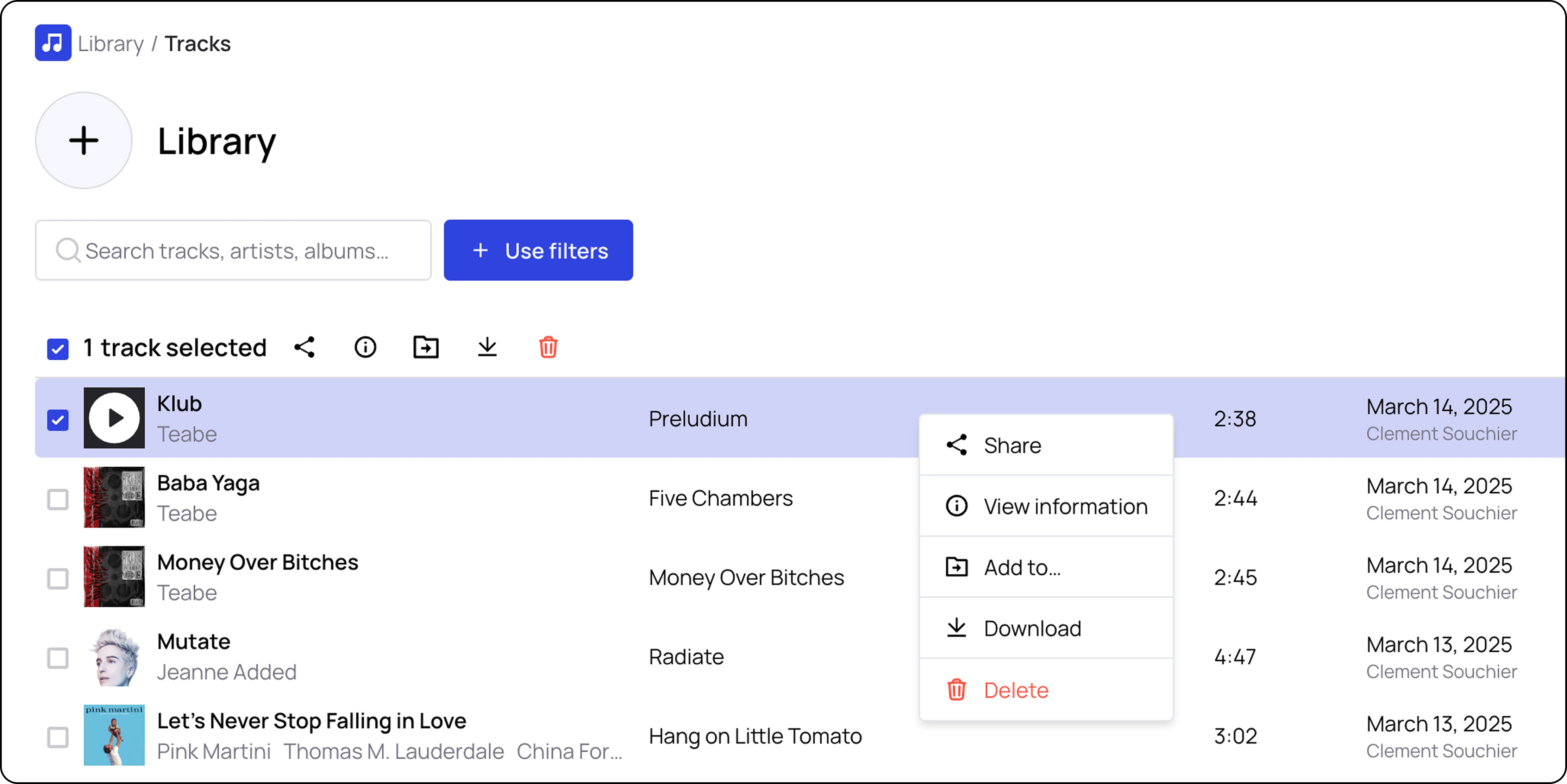
A feature that can be easy to miss, and yet one that can save music professionals a lot of time in their music management tasks.
Simply right-click on any one of your tracks to download or share the track, view its metadata, or add it to another one of your projects or workspaces.
4. Simplified way of moving tracks across projects & workspaces
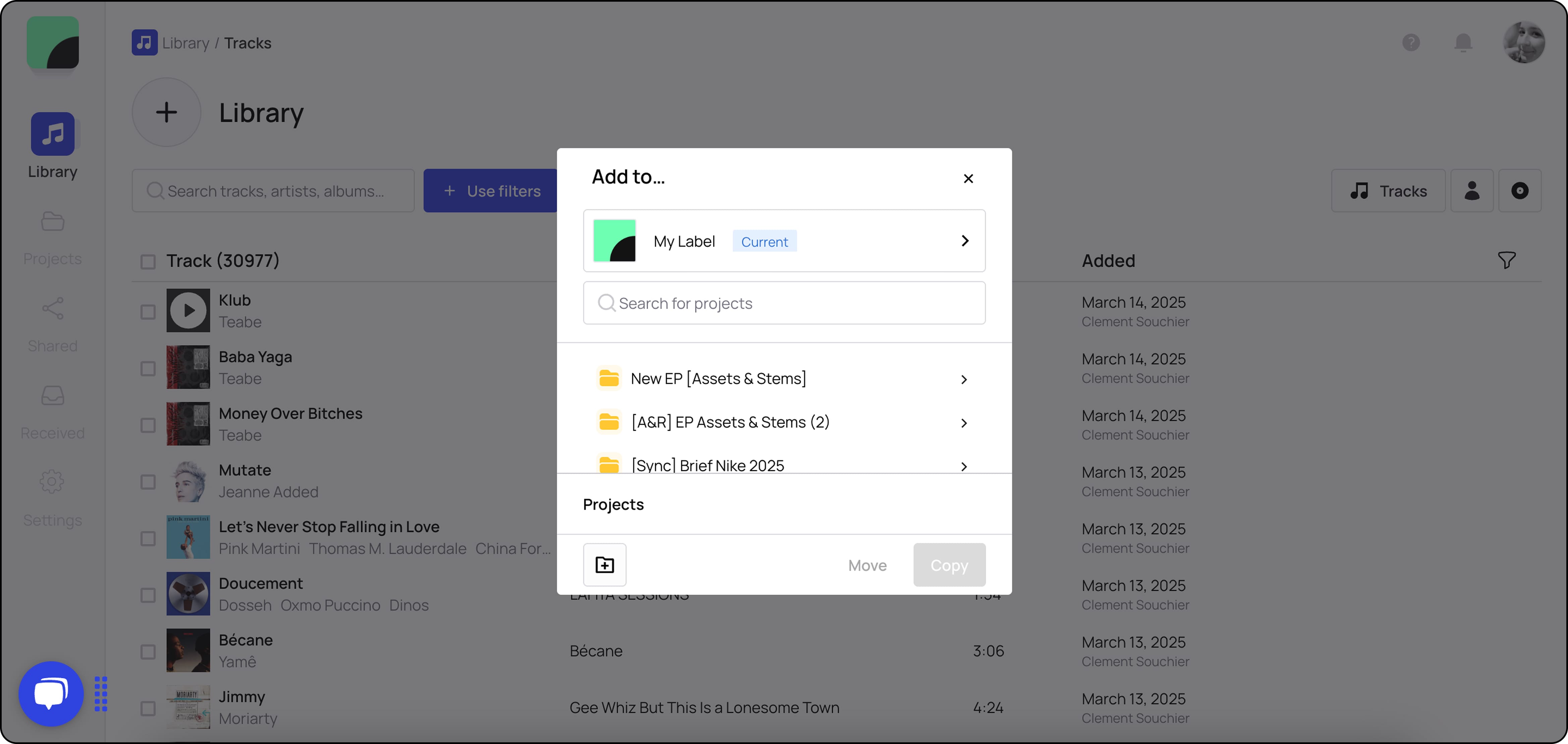
Moving tracks from between projects and workspaces has been made much simpler and more intuitive.
Simply click on “Add to” and choose where you want your track to go. Tracks can be moved individually and in groups, and entire projects can also be moved into other projects or entirely new workspaces.
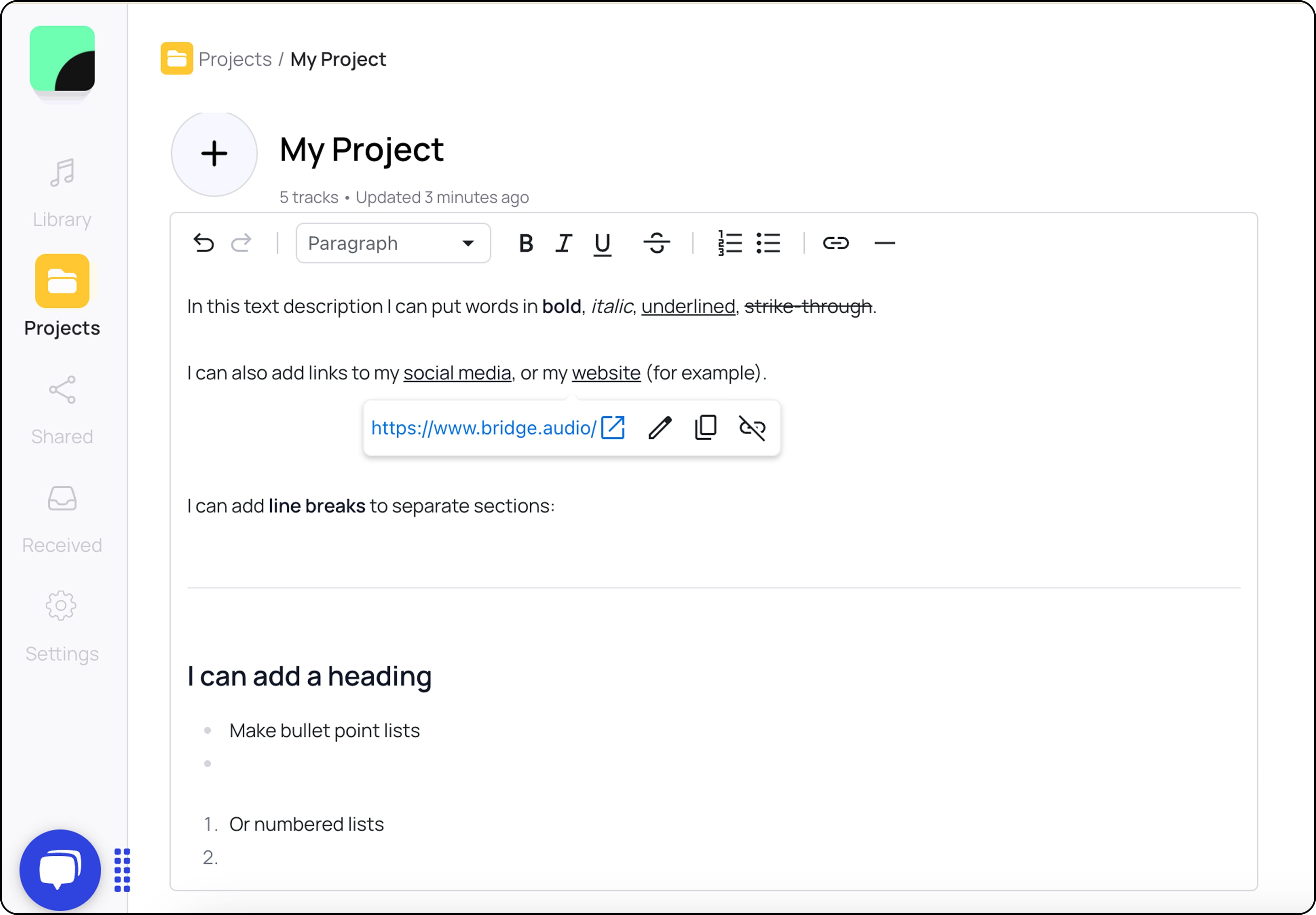
5. New text modification options in project description
You can now create headings and paragraphs, make bulleted or numbered lists, and add line breaks, all of this on top of already existing features like putting text in bold, italic, underlined, strikethrough, and adding hyperlinks.
6. More effective search functionality
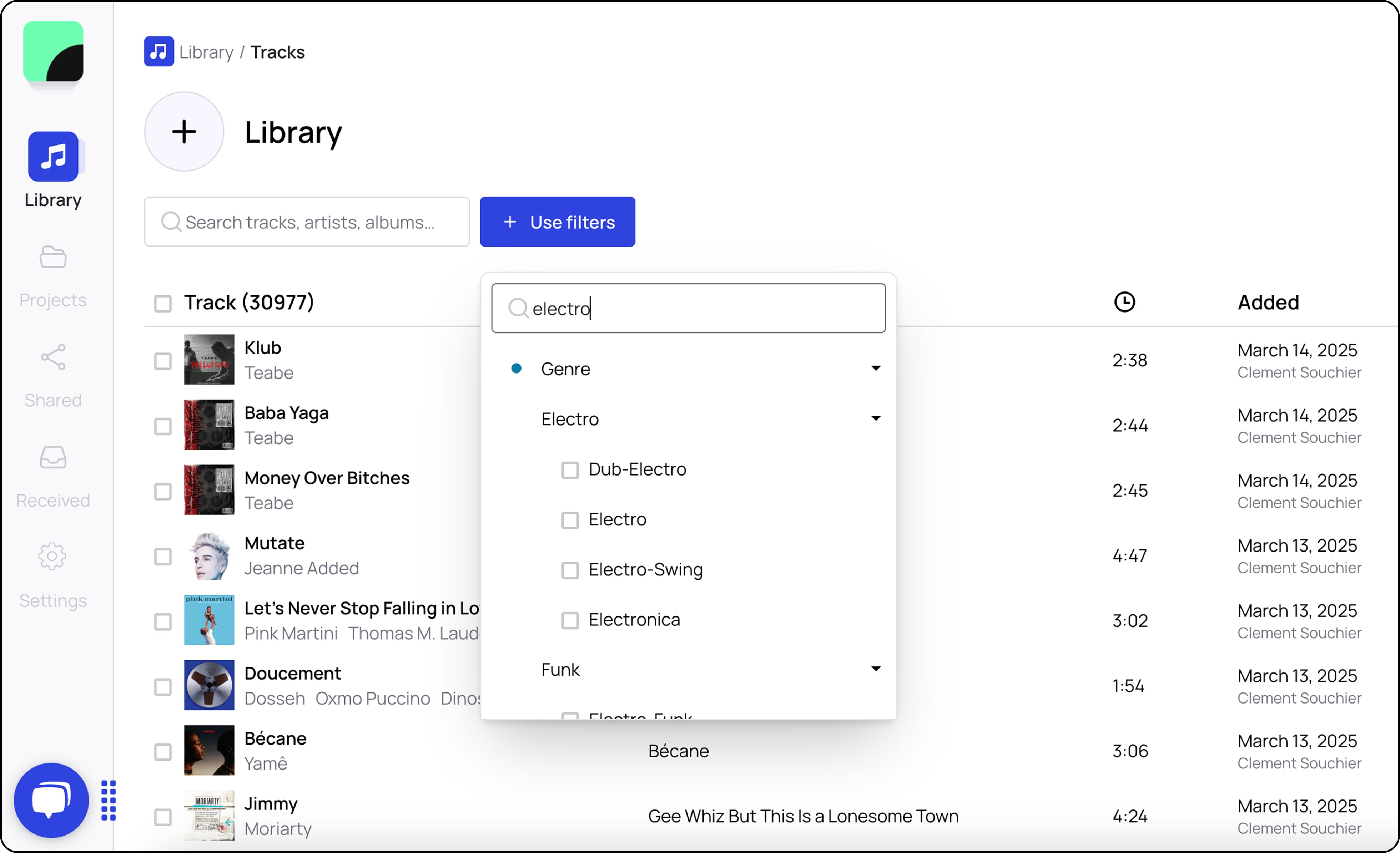
No need to scroll through the AI auto-tag options to find the one you want, you can now type the tag you’re looking for in the search bar and filter your library in no time.
That’s it for now! Give these features a try in your own Bridge workspace today and let us know what you think by email at hi@bridge.audio.